





Trusted by 10K+ Active Users

WordPress Team Plugin: Build Team Pages in Minutes.

Display team members in grid, slider, list, or filterable layouts. Add staff profiles, smart popups, and social links using Elementor, Gutenberg, or shortcodes, with no coding required.

Excellent

4.7/5 based on 120 reviews on

We’re Featured On:

Team Pro is a WordPress team plugin that helps you create a professional team page without writing code. Add each team member once, with their photo, name, designation, bio, skills, and social links, and display them anywhere on your site in the layout that fits your design.

Choose from 50+ responsive layouts, including grids, sliders, lists, tables, and filterable views. Visitors can sort staff by department or designation, browse profiles with AJAX pagination, and open full bios in a smart popup without leaving the page.

Build your team section the way you already work. Drag the Team widget into Elementor, add a Gutenberg block, or set up a shortcode with a live layout preview. Device-specific column controls keep your team grid clean on desktop, tablet, and mobile.

For agencies and site builders, Team Pro lets you export and import team members between websites, and clients can update staff profiles from a simple admin screen.

Start with the free version on WordPress.org, or upgrade to Pro for the full layout library and priority support, backed by a 30-day money-back guarantee. Built and maintained by RadiusTheme since 2015

Trusted by 10,000+ WordPress sites worldwide.

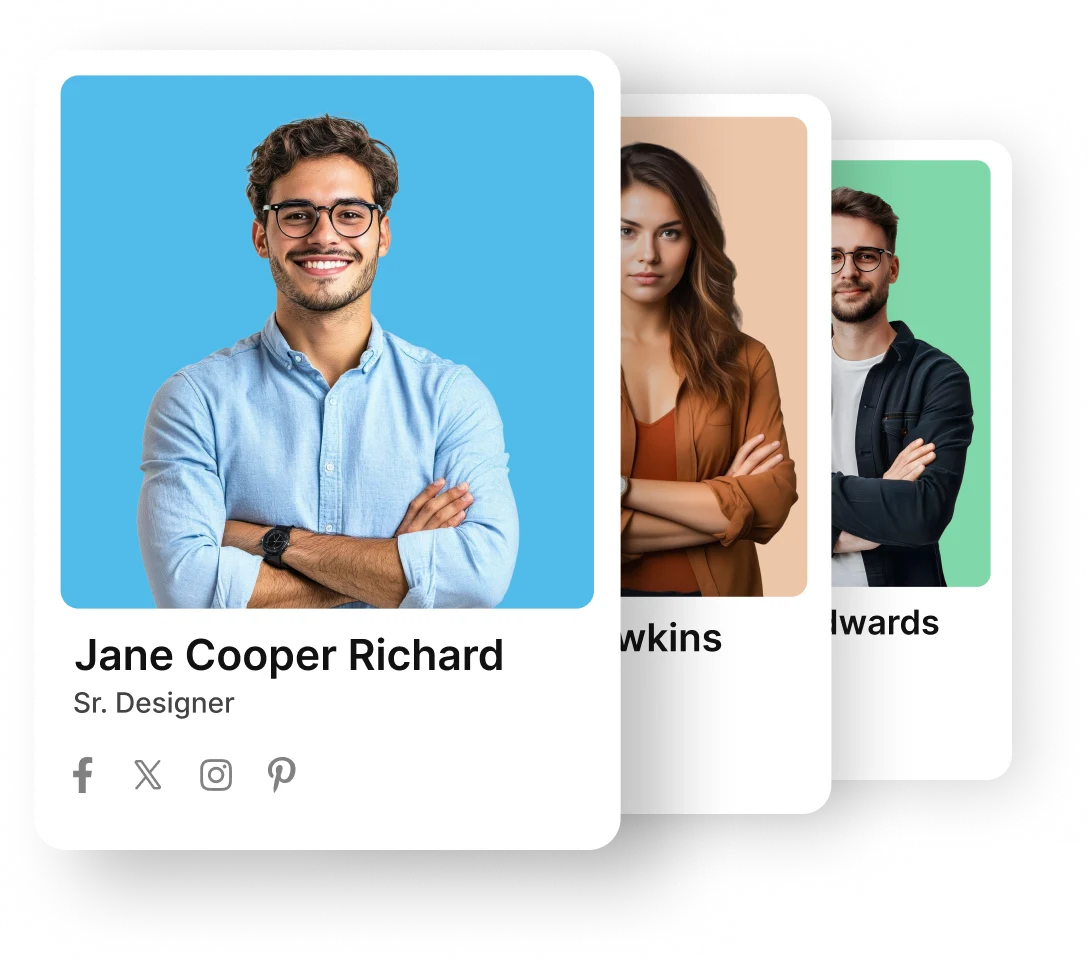
WordPress Team Plugin helps you showcase team members

Additional Multiple Layouts

Team Member WordPress plugin has 50+ layouts of different
style grid, grid filter, slider, Isotope filter, table layout and
some special layouts.

Single Page Build with Elementor

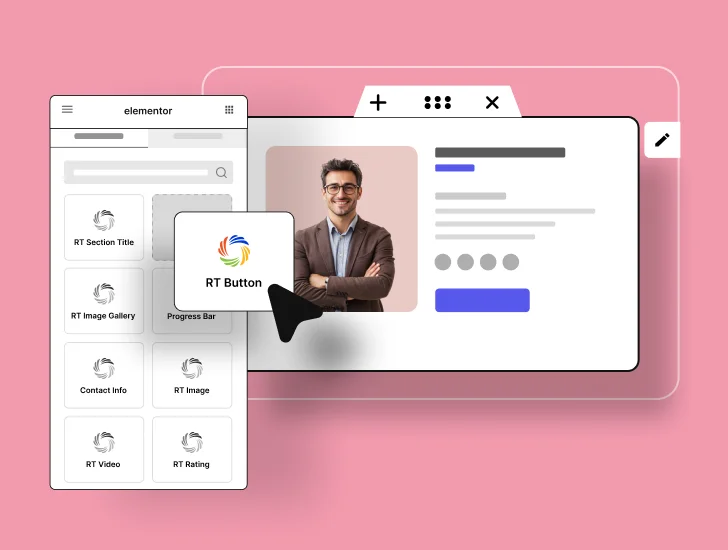
Use Elementor's drag-and-drop editor to build custom single-member templates add profile details, project lists, video embeds, or anything else.

Square or Rounded Profile Image

From the Shortcode Generator settings, you can easily choose the profile image style square or rounded.
Export/ Import Team Members

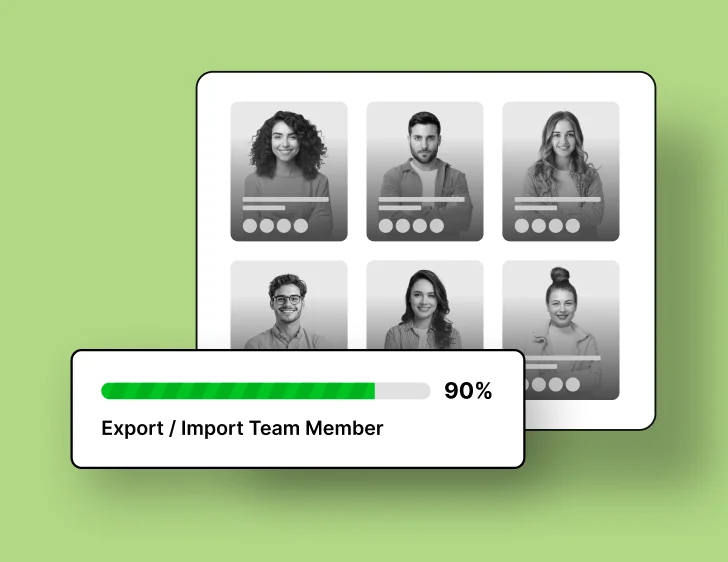
Export your entire names, bios, images, and categories into a single file. Import it on a staging site, a client project without re-entering data or re-uploading photos.
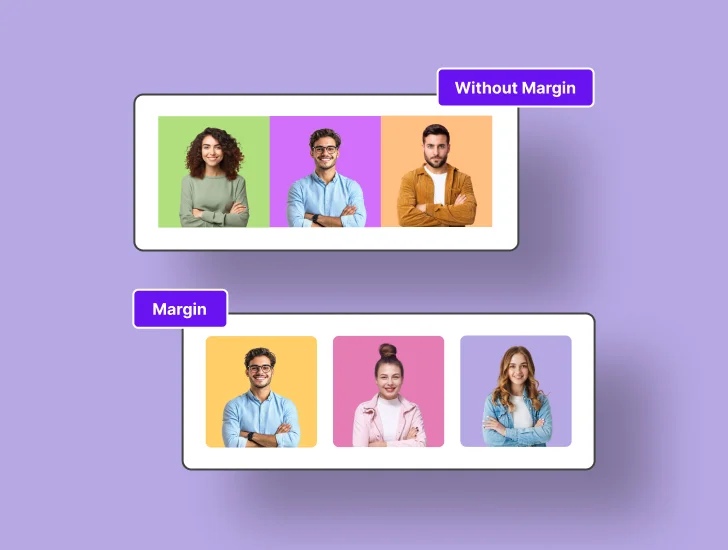
Flexible Grid Spacing

From the shortcode generator, you can set a default 30px margin, remove it, or customize the margin size as needed.

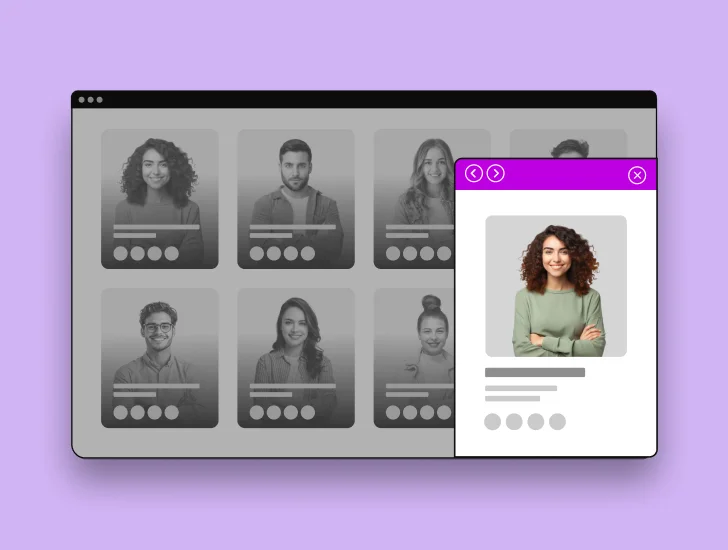
Multi Popup with Next/Previous

From the Shortcode Generator settings, you can easily choose the profile image style square or rounded.
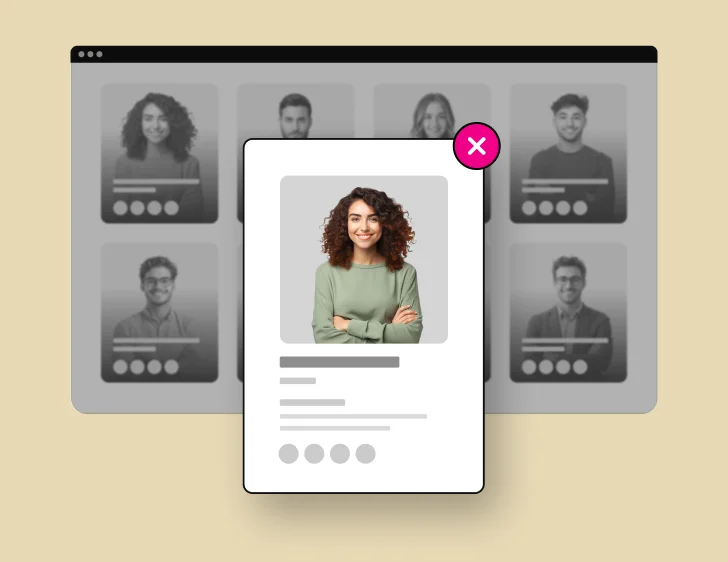
Detail Page Single Popup

We have multiple detail page option. You can use single popup option to display detail of a team member.
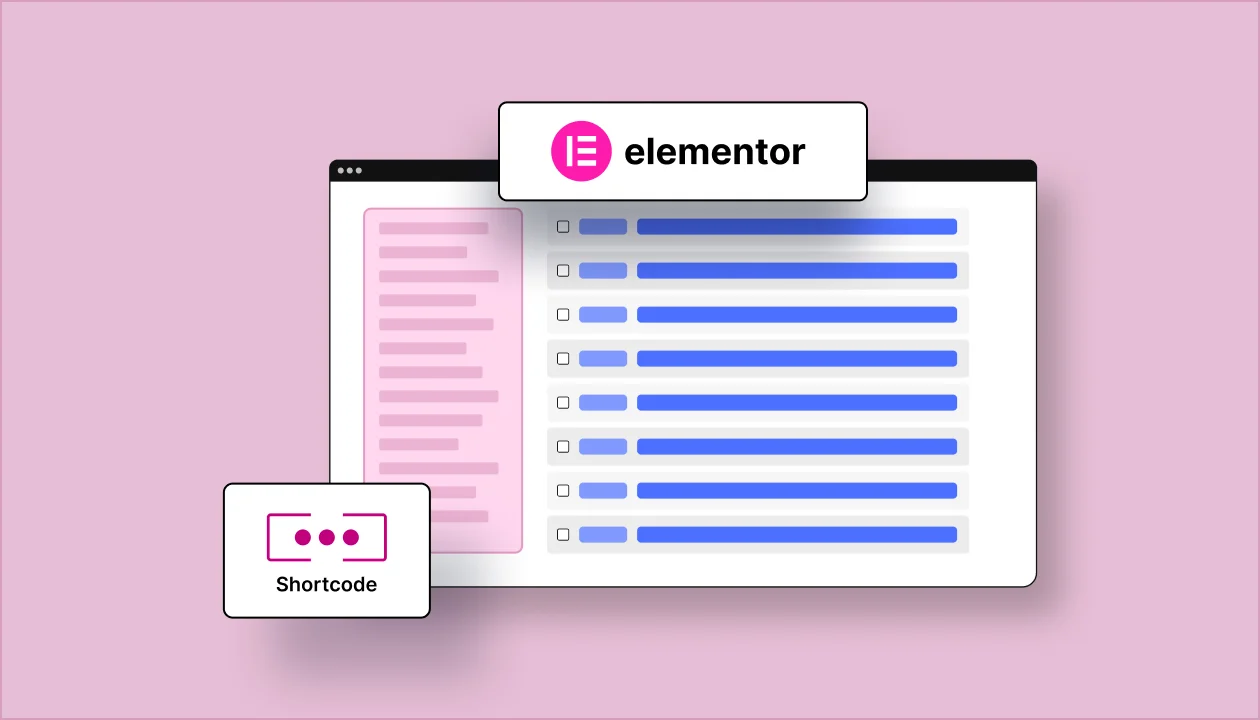
Use as Shortcode Generator
or Elementor Addon

Drag the Team widget directly into Elementor. Also support Gutenberg. Your team section lives inside your visual editor, so you see exactly what visitors will see before you hit publish.

Detail Page Smart Popup

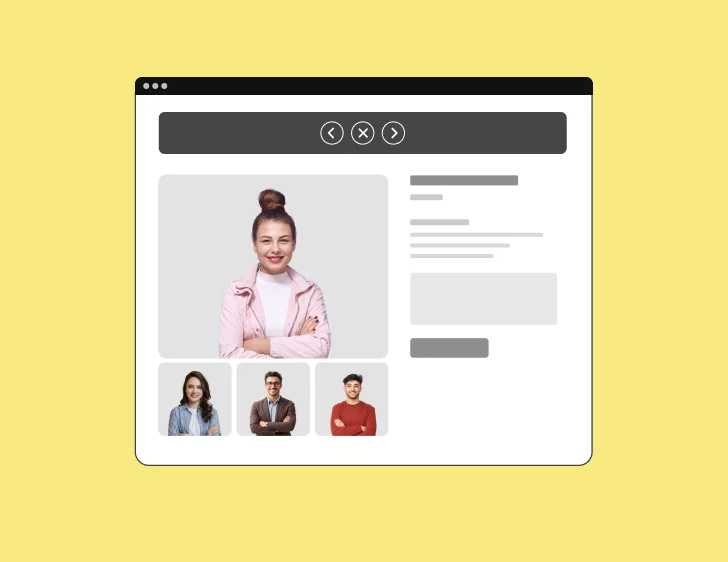
When visitors click a profile, they stay on your page while a sleek popup or slide-in panel reveals the full story bio, skills, gallery, social links. Smart popups even let visitors navigate between profiles without closing the window, keeping engagement high and bounce rates low.
Multiple Pagination Option

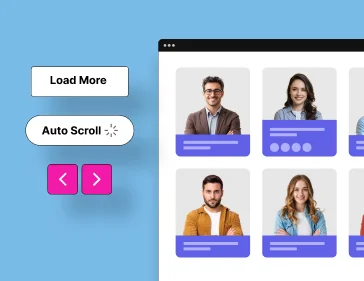
Instead of loading 100 profiles at once, show batches with numbered pagination, "Load More" buttons, or infinite scroll. Pages stay snappy, server load drops, and visitors control how much they see at their own pace.

Additional Image for Gallery

Upload extra photos conference snapshots, behind-the-scenes moments, project highlights that appear in each member's detail page. Galleries let visitors see your team beyond the headshot.

Shortcode Generator with Live Preview

Adjust columns, spacing, image styles, and display fields in the shortcode builder, and watch a real-time preview update instantly. Copy the shortcode when it looks right as you desired.

Grayscale Profile Image

Display profile photos in grayscale, then reveal vibrant color on hover. It's a small detail that signals polish, draws attention, and encourages visitors to explore each team member.

Special Layouts

Special Layouts provide unique, eye-catching designs to showcase your content with enhanced visual appeal.

Get Team Plugin at Cost Effective Price

Trusted by 10,000+ Users Worldwide, Why Won’t You?

Coming from ThemeForest? 👋

Since July 1, 2026, Envato retains about 60% of every ThemeForest sale- making it difficult to provide premium support and ongoing updates.

Excluded from the envato license:

  • × Priority Customer Support
  • × Full access to extensions
Explore More Options →

1 Site License

Regularly $39 Save $8
$31 / Yearly
Renewal at $31
  • 1 Domain License
  • 1 Year Support & Updates
  • Shortcode
  • Elementor addon
  • 20% Discount on Renewal
30-day money-back guarantee
4.0.0 — A complete design overhaul with a modern look

Unlimited Sites License

Regularly $149 Save $30
$119 / Yearly
Renewal at $119
  • Unlimited Domains License
  • 1 Year Support & Updates
  • Shortcode
  • Elementor addon
  • 20% Discount on Renewal
30-day money-back guarantee
4.0.0 — A complete design overhaul with a modern look

5 Sites License

Regularly $249 Save $75
$174 / Lifetime
  • 5 Domains License
  • Lifetime Support & Updates
  • Shortcode
  • Elementor addon
  • No Renewal Needed
30-day money-back guarantee
4.0.0 — A complete design overhaul with a modern look

Unlimited Sites License

Regularly $349 Save $105
$244 / Lifetime
  • Unlimited Domains License
  • Lifetime Support & Updates
  • Shortcode
  • Elementor addon
  • No Renewal Needed
30-day money-back guarantee
4.0.0 — A complete design overhaul with a modern look
Note: All prices are given in USD exclusive TAX/ VAT. TAX/ VAT will be charged depending on the destination country.

100% Risk-Free Money Back Guarantee!!

Customer satisfaction is our top priority. If you’re not satisfied with our product within 30 days of purchase, we’ll gladly provide a full refund. Learn more about Our Refund Policy.

Mamunur Rashid

Founder & CEO, RadiusTheme LLC

Trusted by WordPress Experts &
Community Leaders

Fantastic plugin and superb support

This is an excellent plugin to create professional and attractive team page, with intuitive styling and layout options. But what really makes the difference to me as a designer is the first class support from RadiusTheme. I use this plugin and Post Grid. When I have had any queries, the team replies quickly and really goes the extra mile to provide a solution to any needs. Much appreciated!

toolboxkate
wordpress.org

Great Support and Works with Genesis Framework

I was very please with how easily I was able to custom the plugin to match the theme and that it integrates nicely with the Genesis framework. And the support is quick and very helpful.

Cara
wordpress.org

Fantastic plugin and superb support

This is an excellent plugin to create professional and attractive team page, with intuitive styling and layout options. But what really makes the difference to me as a designer is the first class support from RadiusTheme. I use this plugin and Post Grid. When I have had any queries, the team replies quickly and really goes the extra mile to provide a solution to any needs. Much appreciated!

toolboxkate
wordpress.org

Great Support and Works with Genesis Framework

I was very please with how easily I was able to custom the plugin to match the theme and that it integrates nicely with the Genesis framework. And the support is quick and very helpful.

Cara
wordpress.org

Exactly What I needed and Great Support

Really nice plugin for displaying profiles of staff or other types of teams. Even the free version is highly customizable and has a nice feature that gives you a Layout Preview when creating shortcodes to list grouped members. Excellent support too!

Tamara
wordpress.org

Great product! Fantastic service

Really enjoyed using this plugin. It works really well and looks so good, and is easy to use.

I had a slight issue with formatting and contacted support. They quickly identified it was caused by the Theme I was using and suggested a CCS fix, which did the trick. Saved me so much time.

hamishlivo
wordpress.org

Exactly What I needed and Great Support

Really nice plugin for displaying profiles of staff or other types of teams. Even the free version is highly customizable and has a nice feature that gives you a Layout Preview when creating shortcodes to list grouped members. Excellent support too!

Tamara
wordpress.org

Great product! Fantastic service

Really enjoyed using this plugin. It works really well and looks so good, and is easy to use.

I had a slight issue with formatting and contacted support. They quickly identified it was caused by the Theme I was using and suggested a CCS fix, which did the trick. Saved me so much time.

hamishlivo
wordpress.org

Excellent Plugin & Support

We are using this plugin for the Our Team page of our website. I ran into a slight issue where the re-ordering of the posts wasn’t working as expected. I emailed their support, and their supported helped me figure out that it was because you need to use the shortcode, and then configure the shortcode. After making that adjustment, all is working as expected. Great plugin!

locatejp
wordpress.org

Great easy to use plugin with lots of features

I build websites for clients that typically have limited IT skills. This plugin makes it easy for them to easily add or remove team members from the webpages without having touch the WordPress editor.

siwhyatt
wordpress.org

Excellent Plugin & Support

We are using this plugin for the Our Team page of our website. I ran into a slight issue where the re-ordering of the posts wasn’t working as expected. I emailed their support, and their supported helped me figure out that it was because you need to use the shortcode, and then configure the shortcode. After making that adjustment, all is working as expected. Great plugin!

locatejp
wordpress.org

Great easy to use plugin with lots of features

I build websites for clients that typically have limited IT skills. This plugin makes it easy for them to easily add or remove team members from the webpages without having touch the WordPress editor.

siwhyatt
wordpress.org

Changelogs

Version 4.0.0 (September 14, 2026)
Added: Complete design overhaul — Pro grid layouts (5–15, 17, 18), carousels (1–11), isotope layouts (1–10) and Special Layout 1 have been redesigned.
Added: Redesigned single, multiple and smart member popups, with smooth previous/next member navigation.
Added: Isotope filter buttons now show the member count for each term, including "All".
Added: Redesigned Elementor Layout 4 hover card with a caption pill, gradient hover and staggered content reveal.
Added: After-short-bio text now shows as a styled badge next to the short bio, including in Elementor.
Added: New "rttmp_image_flip_excluded_layouts" filter to control which layouts skip the image flip effect.
Improved: Isotope filter bar, search field and search icon redesigned to match the new layouts.
Improved: Image flip is now turned off automatically on layouts where the hover overlay covers the photo.
Improved: "Grid Style" (Even / Masonry) setting is now hidden for carousel layouts, where it does not apply.
Improved: Popups now show the default detail fields when none have been configured.
Improved: Elementor "Margin" controls renamed to "Wrapper Margin". Saved values are kept.
Updated: Team Pro now requires Team (free) 6.0.0 or higher and shows an admin notice when the requirement is not met.
Fixed: Elementor Layouts 1 and 3 colors, where the position text could be invisible and Primary Color did not recolor the whole card.
Fixed: Elementor social icon size controls left the icon off-center or overflowing its chip on several layouts.
Fixed: Layout 6 social icon hover color was overridden by the network brand colors.
Fixed: Elementor Layout 1 contact icon color control had no effect.
Fixed: Isotope layouts used masonry positioning when Grid Style was set to Even.
Fixed: Popup gallery slider was sized incorrectly when the popup opened.
Fixed: Dynamic popup styling issues.
Version 3.6.4 (May 23, 2026)
Fixed: License issue.
Version 3.6.3 (March 9, 2026)
Added: Image flip hover effect for team members.
Version 3.6.2 (July 23, 2025)
Added: Team member export & import system.
Version 3.6.0 (June 24, 2025)
Added: Team details page builder for Elementor.
Version 3.5.3 (January 3, 2024)
Added: Read More, Resume, and Hire buttons.
Fixed: Single popup (Shortcode, Elementor, single page), color issues, layout design, PHP errors, nonce verification, and escaping.
Updated: Font Awesome 6.
Version 3.5.1 (May 30, 2024)
Added: Read More button.
Version 2.1.0 (August 11, 2023)
Updated: Compatibility with the latest WordPress version.
Version 3.4.1 (March 20, 2023)
Added: 2 new grid layouts for Shortcode & Elementor Addon.
Version 3.3.0 (January 6, 2023)
Added: Support for 3 new social profiles (Skype, WhatsApp & Telegram).
Fixed: Minor design issues.
Version 3.2.3 (August 16, 2022)
Fixed: AJAX search filter not visible.
Version 3.2.1 (July 21, 2022)
Updated: Proper sanitization and escaping for all template files.
Version 3.2.0 (May 16, 2022)
Added: Elementor Team Grid Layout widget.
Added: Elementor Team List Layout widget.
Added: Elementor Team Slider Layout widget.
Added: Elementor Team Isotope Layout widget.
Fixed: Taxonomy filter not showing properly in the shortcode.
Fixed: All templates have been properly sanitized.
Fixed: Errors in PHP 8.0 environments.
Fixed: Post filtering issue when multiple shortcodes are active.
Version 3.1.0 (February 16, 2022)
Updated: Replaced Owl Carousel & Slick Slider with Swiper Slider.
Fixed: Grid height issue on grid layouts.
Fixed: Featured image alt text issue.
Version 3.0.1 (January 25, 2022)
Added: Popup text color settings.
Removed: Unused code.
Fixed: Layout 5 issue.
Version 3.0.0 (November 15, 2021)
Improved: Major code quality update.
Improved: Various functional issues.
Fixed: Minor bugs, responsive issues, and CSS issues.
Added: Visual preview images in the layout selector.
Version 2.8.7 (May 3, 2021)
Fixed: Shortcode style issue.
Fixed: Skill bar tooltip issue.
Version 2.8.6 (March 14, 2021)
Added: Profile image dimension setting.
Version 2.8.52 (January 12, 2020)
Fixed: Tooltip issue.
Version 2.8.52 (August 18, 2020)
Fixed: WordPress 5.5 conflict.
Version 2.8.45 (July 2, 2019)
Updated: UI improvements.
Version 2.8.42 (July 2, 2019)
Fixed: Draft data issue in Filter layout.
Version 2.8 (August 18, 2018)
Improved: One-click license saving and activation.
Added: Template override option.
Added: 1 new layout for Grid, Filter & Isotope.
Added: Smart Popup.
Version 2.7.3 (March 16, 2017)
Fixed: Search filter now includes all other fields.
Version 2.7.1 (February 13, 2017)
Fixed: 5-column layout issue.
Version 2.7 (December 6, 2017)
Added: Auto-update via license key activation.
Fixed: Isotope button click issue on iPhone.
Fixed: Link Type issue.
Version 2.6 (November 23, 2017)
Added: Fax number field.
Added: Option to disable profile image.
Version 2.5 (November 8, 2017)
Fixed: Conflict with TLP Portfolio plugin.
Version 2.4 (October 19, 2017)
Fixed: Designation display issue in Isotope Layout 2.
Version 2.3 (September 26, 2017)
Added: 2 new layouts.
Added: 4 new fields (Tagline, Qualifications, Professional Membership, Area of Expertise).
Fixed: Multi popup, language, and deprecated function issues.
Version 2.2 (July 27, 2017)
Fixed: Link Type issue in AJAX-loaded content.
Version 2.1.2 (July 20, 2017)
Added: Mobile number on list view.
Fixed: Taxonomy ordering bug.
Version 2.1.1
Fixed: Excerpt HTML support & carousel control issues.
Version 2.0 (July 14, 2017)
Added: Grid or Filter mode for all 14 layouts.
Improved: Code & AJAX functionality.
Added: Filter display as buttons or dropdown.
Added: Layout preview in Shortcode Generator.
Added: Sort by & ordering options.
Added: Gutter/padding control.
Added: Search option.
Added: Grayscale option.
Added: Filter by Department & Designation.
Added: Dynamic image resizing.
Added: Email & website icons in social buttons.
Added: Taxonomy ordering (Department, Designation).
Added: Color control for single popup page.
Added: 2 grid, 2 isotope & 1 slider layouts.
Added: Desktop, tablet & mobile display controls.
Added: WPML compatibility.
Version 1.3 (January 18, 2017)
Fixed: Shortcode Generator bug.
Version 1.1 (April 20, 2016)
Added: New fields — Experience and Mobile Number.
Added: Additional images for gallery.
Added: Category ordering.
Added: Single member popup.
Added: Detail page field control.
Added: Assign member as a user.
Added: Member's latest posts on detail/popup page.
Added: Font weight control for all text.
Added: Bottom color control.
Added: Multiple designations.
Added: New Layouts 11 & 12.
Added: 6 carousel layouts.

Pro version released: January 1, 2016
Free version released: August 18, 2015

Frequently Asked Questions (FAQs)

What is a WordPress team plugin?
A WordPress team plugin lets you add and display team member profiles on your website without coding. You enter each person’s photo, name, role, bio, and social links once, then show them in grid, slider, or list layouts. Team Pro is one example, with 50+ responsive layouts.
Install a team member plugin such as Team Pro, then add your staff under the Team menu. Next, choose a layout in the shortcode generator, Elementor widget, or Gutenberg block, and place it on a new page. Finally, publish the page. No custom code or theme editing is needed.
Yes. RadiusTheme’s Team plugin has a free version on WordPress.org that includes grid, list, slider, and filter layouts with a shortcode generator and layout preview. Team Pro adds 50+ layouts, smart popups, AJAX pagination, drag-and-drop ordering, and an Elementor addon.
The free version offers 2 grid layouts, 1 list layout, 1 slider layout, and 1 filter layout with number pagination. Team Pro expands this to 14 grid, 11 slider, and 11 filter layouts. It also adds masonry grids, AJAX pagination, grayscale images, department filters, drag-and-drop ordering, and single or smart popup detail pages.
Yes. Team Pro includes a dedicated Elementor addon, so you can drag team widgets into any Elementor page and style them visually. It also supports Gutenberg through a block that inserts your saved shortcode. You can even build custom single-member detail pages with Elementor.
Yes. Team Pro lets you group team members by department and designation, then display filter buttons or dropdowns on the front end. Visitors can click a department to see only those staff members. Filter buttons also show the member count for each category.
Yes. Team Pro includes an export and import feature that saves team member names, bios, images, and categories to one file. You can import that file on a staging site or client site without re-entering data or re-uploading photos, which makes site migrations much faster.
Team Pro offers yearly and lifetime licenses. Yearly plans are regularly $39 for one site, $99 for five sites, and $149 for unlimited sites. Lifetime licenses are also available for single, five, or unlimited sites. Every plan includes a 30-day money-back guarantee.